November 12, 2025
3 - Getting Started For Real
A Brief Guide On
- How NOT to plan - obstacles I ran into.
- How to plan - a very useful video - some initial work.
This post is compiles the work of a few days, and is going to be about how to just use Cursor agents for everything, and not spread thin across multiple platforms.
Being greeted with this empty screen once again made me feel a bit uneasy. Knowing that agents work best in a task-based format, the challenge was to create these tasks. The sheer expanse of this planning phase had just hit me.
How Not To Plan
I started off with the idea of a writing a PRD myself and keeping it in Notion as a working document because I wanted to speak to the agent only about code. I opened an empty Notion page and quickly changed my mind.
I’m trying to vibecode an entire app. Maybe I could try to vibecreate a PRD too.
Moving over to ChatGPT, I entered in my prompt.
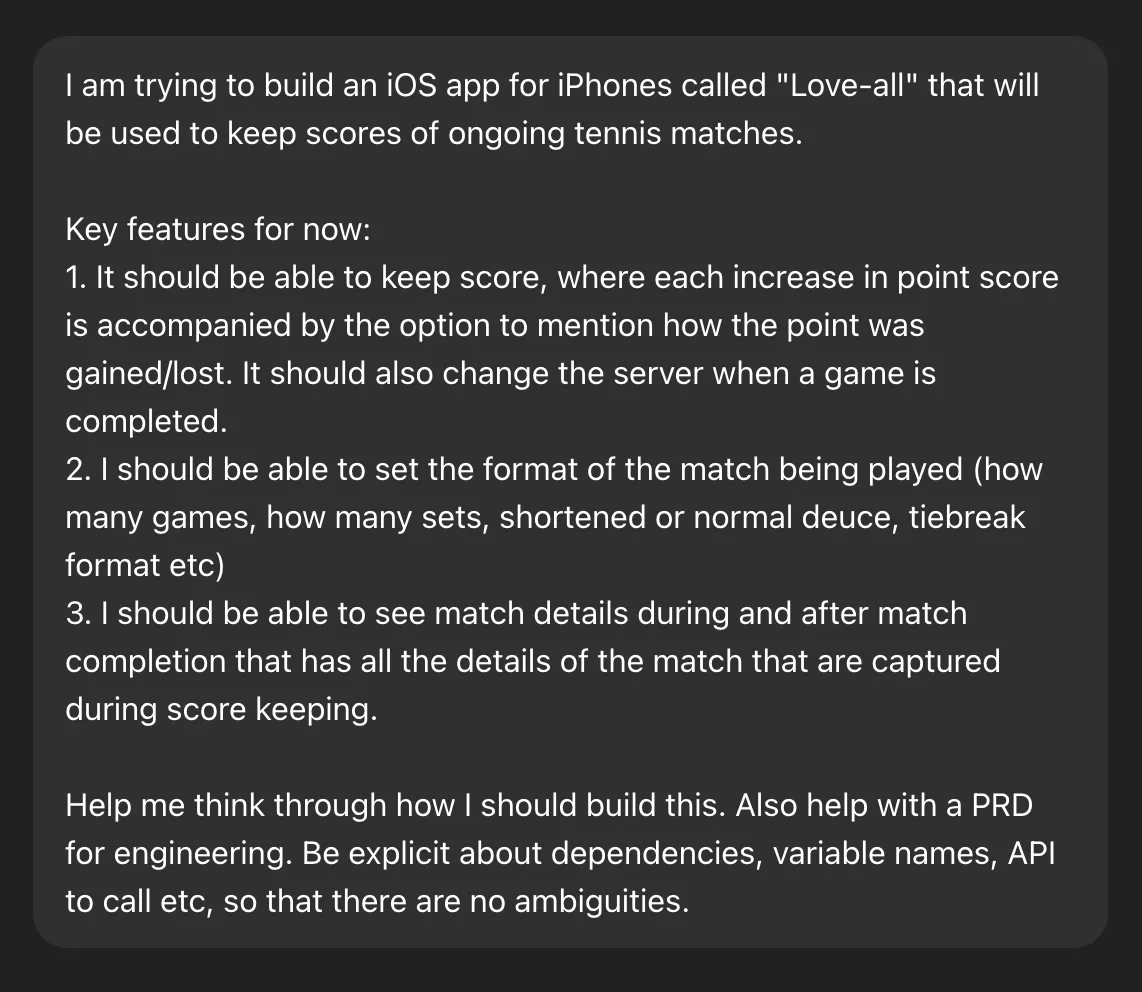
Looking back, the response was incomplete but only because my prompt asked to generate a PRD and other supporting docs from the very limited information I put in. LLMs are also pretty bad at being a critic, so it did exactly as told while treating me like the intellectual I’m not.

ChatGPT generated a PRD (a very small, vague document), and also gave me the code for what it called “the building blocks of the app”.
Love-All — Product Requirements Document
Objective
Build an iOS app that allows tennis players to track their match scores quickly and accurately.
Target Audience
Casual tennis players, coaches, and amateur tournament organizers.
Core Requirements
- Create a new match with player names and match type
- Track points, games, and sets
- Automatically handle tennis scoring rules
- Save completed matches for review
Constraints
- Must be fast and usable with one hand
- Work offline
Non-Goals
- No online multiplayer
- No integration with professional tournament APIs (initially)
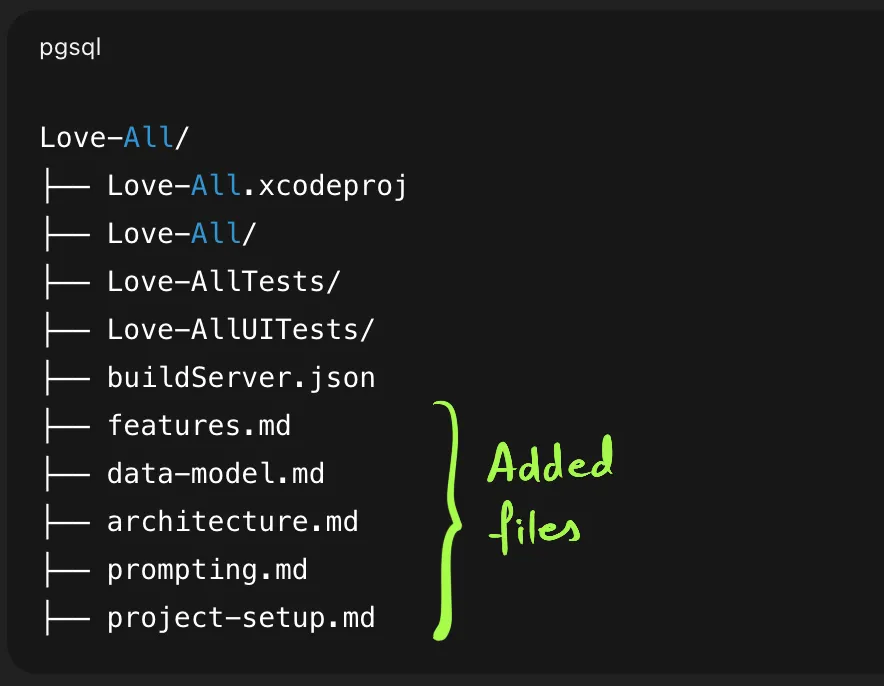
A fairly large conversation later, and after specifically mentioning that I planned on doing this on Cursor, ChatGPT gave me a bunch of files in Markdown format so that I could move them into the project.
Obstacles
#1: No Task List
I am not a software engineer, and that gap became extremely blatant when it was time to finally start. I could just ask it to “create a screen where I can input and keep a track of points”, but I’d come to understand that being very specific is the best predictor of results and that statement would get no medals.
I asked ChatGPT what my first prompt should be. For all my talk about being specific to get the best results, this was a bad request because of how unspecific it was, and the starting prompt was a direct reflection staring me in the face.
ChatGPT gave me a file to add into the root folder (!) that contained the prompt to run (!!). The noob I was, I added it to my root folder and asked the agent to read and run it. Yikes.
Tasks to Start
- Create a SwiftUI home screen:
- “Start New Match” button
- List of saved matches
- Delete match option
- Create a SwiftUI home screen:
- “Start New Match” button
- List of saved matches
- Delete match option
- Build “Live Match” view:
- Show player names
- Show current set/game/points
- Indicate server
- Add buttons to increment points
- Apply tennis rules using
match.settings
- Ensure all views read scoring rules from
MatchSettingsinstead of hardcoding numbers.
The agent did a surprising amount of work in one go. Too much, in fact. Watching it code, I started to worry about how many tokens were being consumed and if I’d have any left to do later tasks.
This brought me to:
#2: Lack of Control
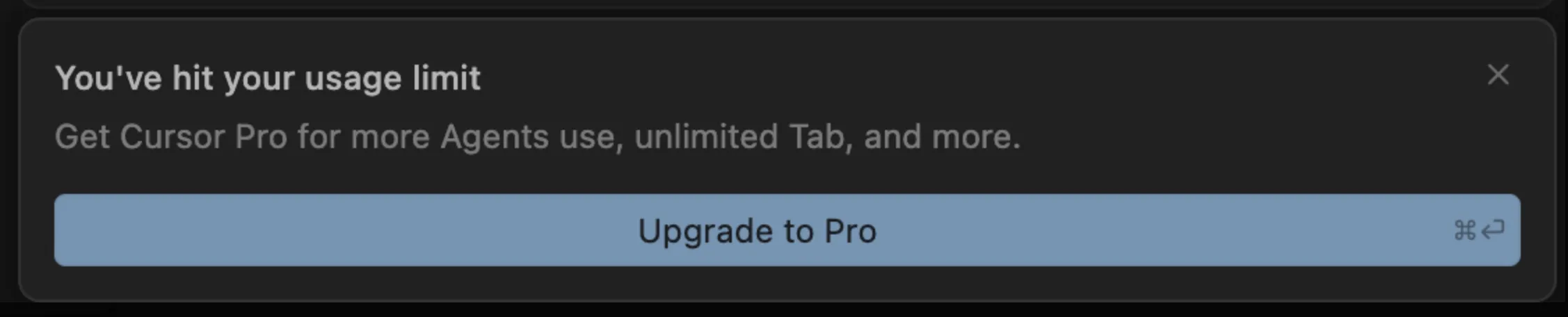
The agent was relentless. It didn’t take a break ended up hitting my monthly (!) limit pretty quickly. This was the free plan, but it got me thinking that I need to break my tasks down into far more specific and controlled blocks.
I also had no tasks to follow these, so I was at an impasse yet again.
#3: So Many Tools!
ChatGPT to plan. Cursor to code. Notion to document. Far too time consuming, especially for managing updates.
How to Plan (Or What Seemed to Work)
I was pleasantly surprised when I found out that I’m not the only one running into these problems. I was actually quite far from a few disastrous outcomes:

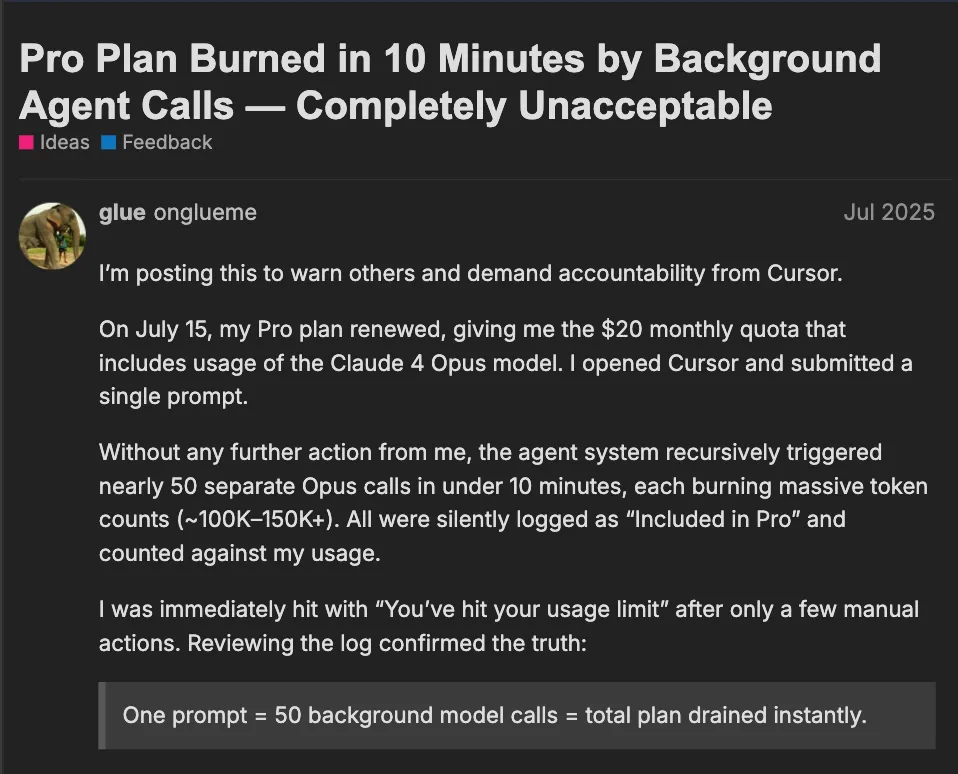
People on forums had worse problems than I did, and I was glad that I ran into a planning problem far earlier than many others. While scouring for better project structuring practices, I came across a video that took me through a structured system to vibe-code 1
Video summary
Cursor allows for the creation of a custom set of rules. Create these files and set them as “Rules” that Cursor will follow (most of the time). These are going to be instructions for the agent to:
- Create a PRD - Include stuff like asking the agent to ask clarifying questions when you give it an idea that you want to develop and what the structure of the PRD itself should be. Reference this file when you give the agent your idea.
- Generate tasks from the PRD - Ask the agent to create a set of tasks and subtasks that follow an output format. You can ask it to create high level tasks first, wait for your go-ahead, and only then continue with the subtasks.
- Operating on the task list - This can include instructions like working on only one subtask at a time, and specifically wait for your go-ahead before beginning the next one. An interesting one - when they finish a subtask or a parent task, mark it with an “x”.
Why This Worked
My three major obstacles were now overcome:
- All the tasks were now directed towards a software developer. I didn’t have to think about creating them, and I could continue to simply oversee additional developer tasks the agent creates. Every task had it’s own set of actionable subtasks that I could see being completed and whose progression I had control over.
- All work was now being done entirely in Cursor. Once I introduced these rules into the system, Cursor was now, all of a sudden, the place that contained the PRD, task list, and any other kind of documentation.
- A long list of engineering tasks were now ready to be worked on. To show how much of an improvement this method was over my first attempt, there were 5 parent tasks each containing their own subtasks, coming up to about 50 subtasks in total!
Plan in action
All I had to do was tell the agent to read the newly generated PRD and the Task Management file and begin with the first task on the task list. In about 15 minutes, I reached this state:
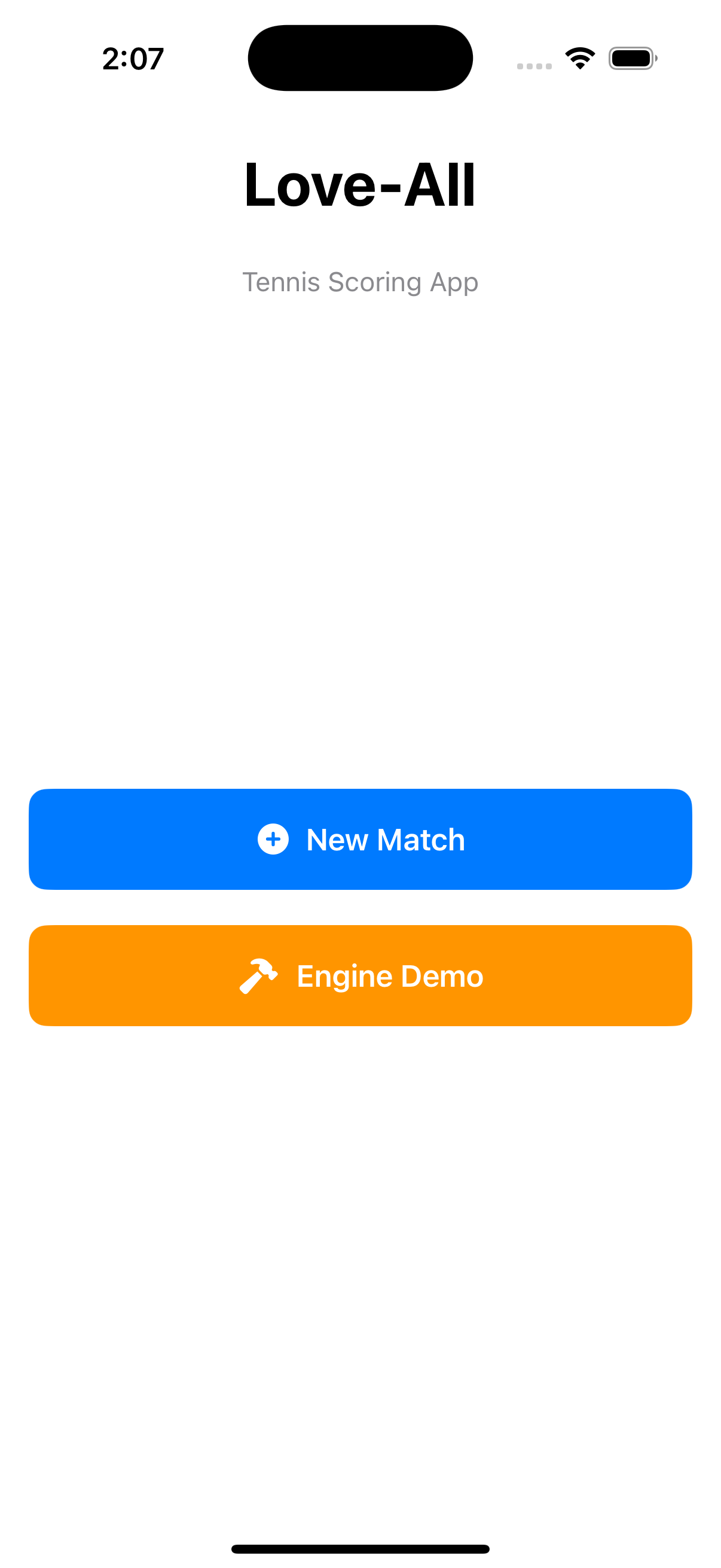
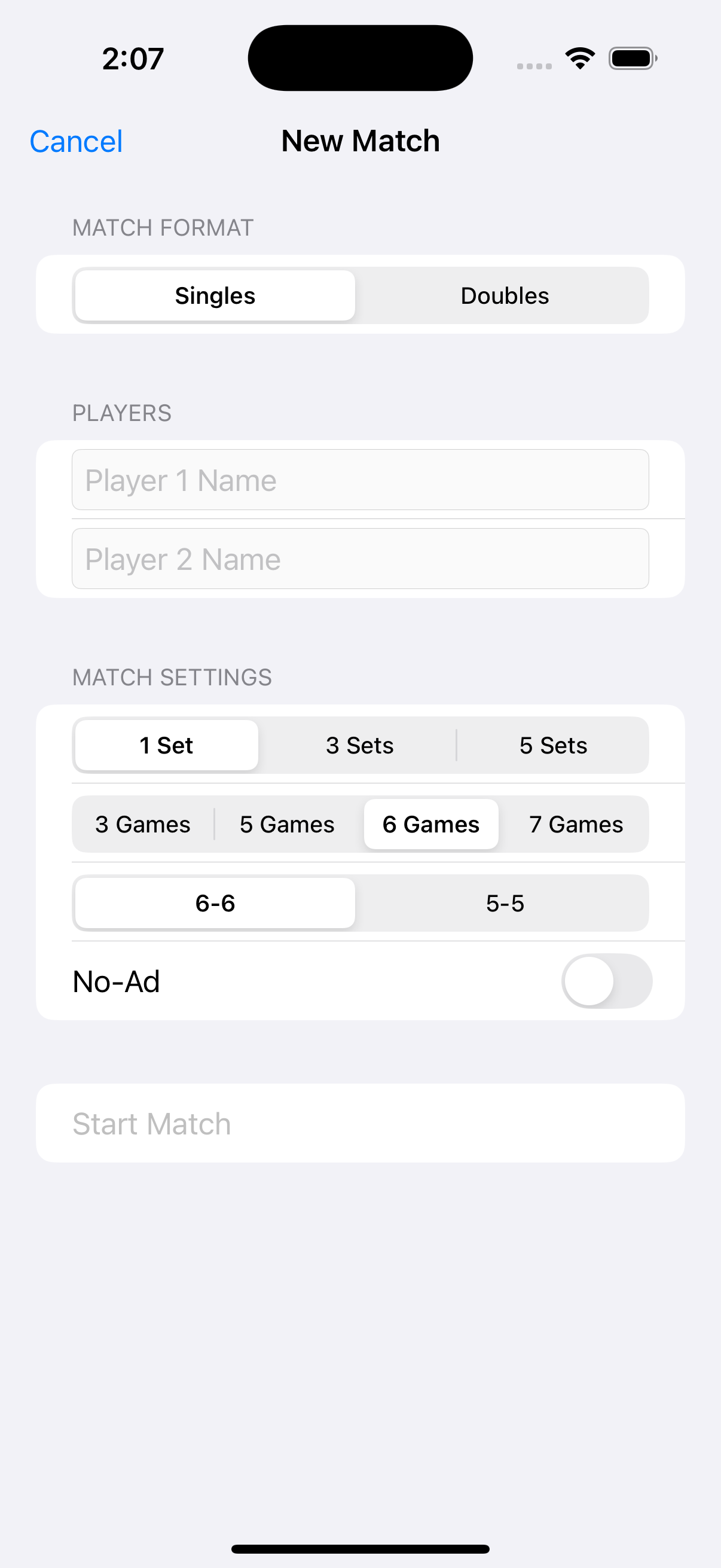
Fifteen minutes!
Next
Encountering bugs is a rite of passage for all who embark on this path. I was vibecoding. Agents hallucinate. It would be silly to not expect a handful of bugs. I could get really specific and granular with my subtasks to minimise bugs, but would I go down to zero? Nope.
In this series
1 - I Can Finally Try This Out
Time to ride the vibecode train
NOV 01, 2025
2 - Work Before Work
Setting Cursor up for iOS coding
NOV 04, 2025
3 - Getting Started For Real
Going wrong, and then getting it right
NOV 12, 2025
4 - Vibe Coding's Hard? Try Vibe-debugging.
A beginner's guide to resolving bugs
NOV 20, 2025