Optimising Costs with Passkeys
SUMMARY & IMPACT
- Rolled out a new login method aimed at making login quicker and optimising costs.
- ~50% users set a passkey up immediately.
- ~67.5% used their set up passkey during their next login attempt across Android, iOS, and Web.
- Company
- Halodoc
- Read time
- 5 min
Context
Passwords are a pain to remember. Thankfully, we’ve never asked our users to use one. Logging into the app can be done using a one-time password (OTP) via SMS or WhatsApp. However, the SMS and WhatsApp OTP costs add up quickly and routinely leave us with a fat bill 💰.
To tackle this, we teamed up with engineering and decided to introduce a shiny new login method: Passkeys. It is an alternative to traditional passwords that’s gaining traction as the future of secure authentication. With Passkeys, we could keep the login process seamless for users while significantly cutting down on those bloated OTP costs.
Process
“Passkey” isn’t exactly a household term just yet, and we wanted to dig into how users perceive and interact with it. Here’s the process we went with:
- Quick mocks
- Test it out quickly (unmoderated)
- Make changes and release
- Investigate
- Iterate again
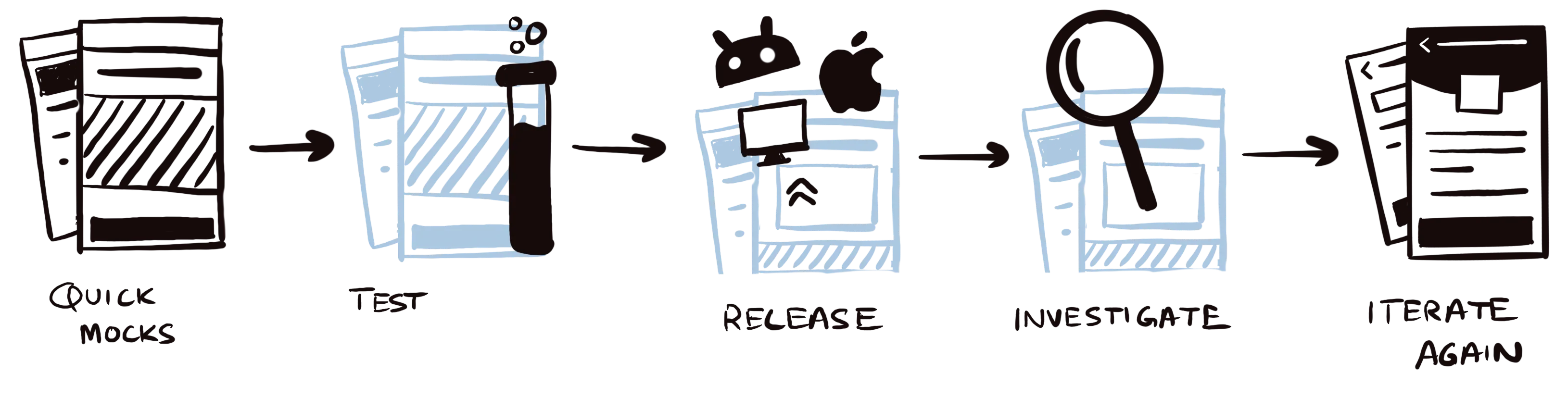
Quick Mocks
We started by introducing the concept of Passkeys in two areas it would be most contextually relevant:
- Right after login for returning users (since 65% of them request an OTP after their registration date).
- During logout, to subtly nudge users into exploring the feature.
We also built a dedicated setup flow in the settings page, giving users another entry point to get started with Passkeys.
On the web app, there was one difference while logging in: users needed to enter their phone number first to use the Passkey feature. This ensured we could securely link the Passkey to their account.
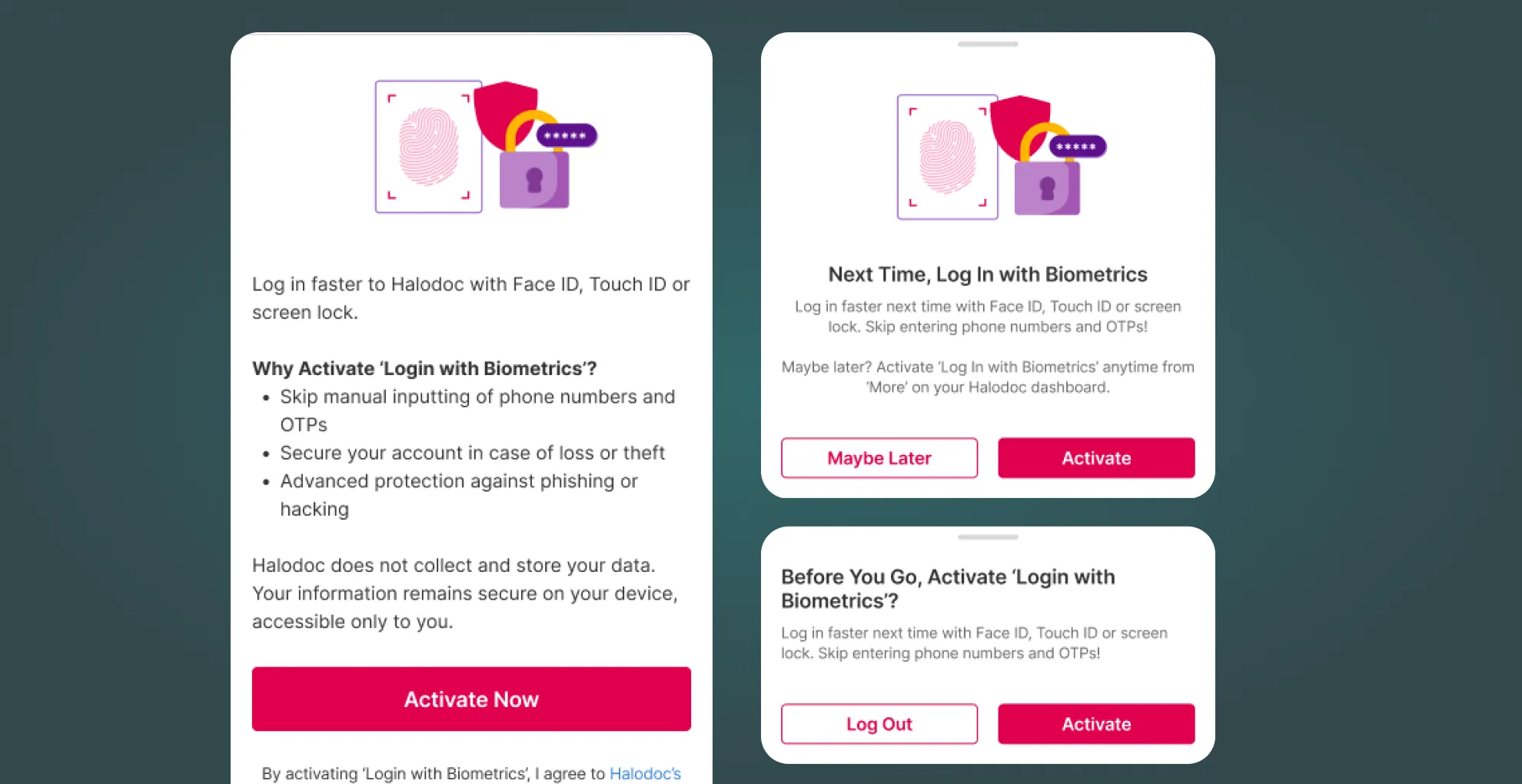
Unmoderated Testing
We wanted to see how users would react to the feature at first glance, what they’d understand right away and what they’d pick up once more details were provided.
Our researcher suggested testing two variations of the copy: one using the term “Passkeys” and the other “Biometrics.” Our hypothesis was that users might resonate more with “Biometrics” since it’s a term they’re likely more familiar with.
While the screenshots shown above are in English, the entire flow was tested in Bahasa Indonesia to ensure it resonated with our target audience.
Testing Insights
Biometrics > Passkeys
Users found the term “Biometrics” much clearer than “Passkeys”.
Positive First Impressions
About 70% of participants said they’d activate it right away, appreciating the added security benefits.
Discoverability Needs Work
While 83% found the copy on the setup page easy to understand, only 30% actually found the page. Clearly, there’s room to make it easier to spot.
First Release
We couldn’t tackle the discoverability issue right away since it was part of a broader redesign effort. So, we went ahead and rolled out the feature to all eligible users.
Fun fact: Passkey setup is only available on certain iOS and Android OS versions!
Early Reads
48.5%
of eligible users set up a Passkey.
57%
of them used it to log in.
The rest
still opted for SMS or WhatsApp OTPs.
Investigation
These reads lead us to two questions:
- Why didn’t some users set up a Passkey for future logins?
What we found was that many users are just used to logging in with SMS/WhatsApp. Those who are already familiar with passkeys tend to use them, especially for tasks like consultations—where speed is key. But security concerns were a big factor for some as well.
- For those who did set it up, why weren’t they using it to log in?
What stopped users from using passkeys that were already set up were:
- Device capability and errors.
- Passkeys were activated on a different device, so they had to set one up on a new one as well.
Iteration
We made tweaks based on the testing insights, focusing on improving setup, ease of use, and security.
One major change was the layout—we made the information more scannable, so users could take it all in at a glance. Simple but effective!
We also revamped the web login modal to better guide users toward using the Passkey login method. With this nudge, we made it more obvious and easier for them to opt for the secure, streamlined login option.
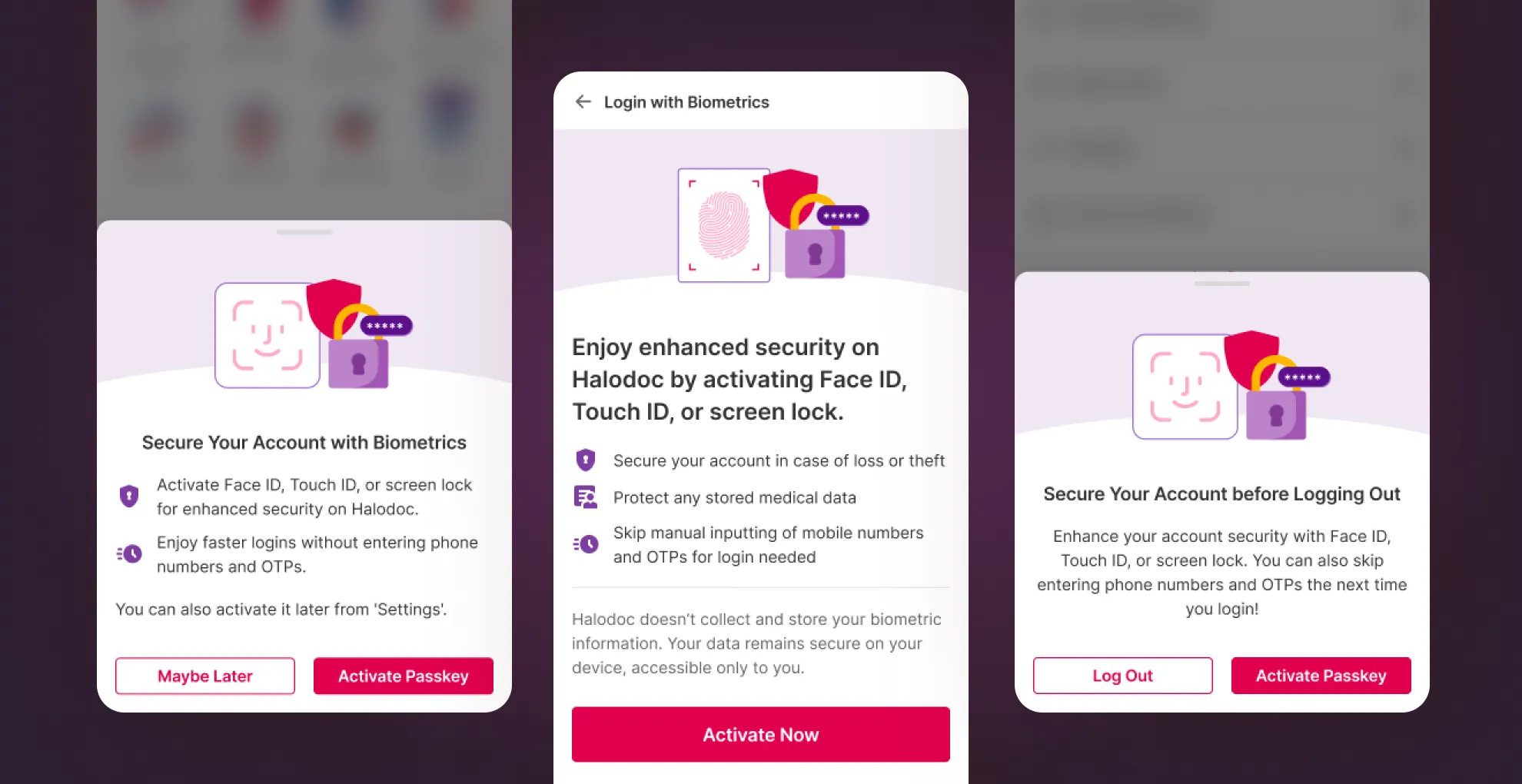
Release 2
We pushed the web login changes first, mainly because it was the low-hanging fruit for boosting passkey usage (and, let’s be real, resource constraints were a factor too!).
Reads
A solid 11% increase
in users opting to log in with their Passkey across all platforms, bringing the total to 68%
2x login rate on web
after the web login update, reaching an impressive 67% 🎉. A big win for ease of use and security!